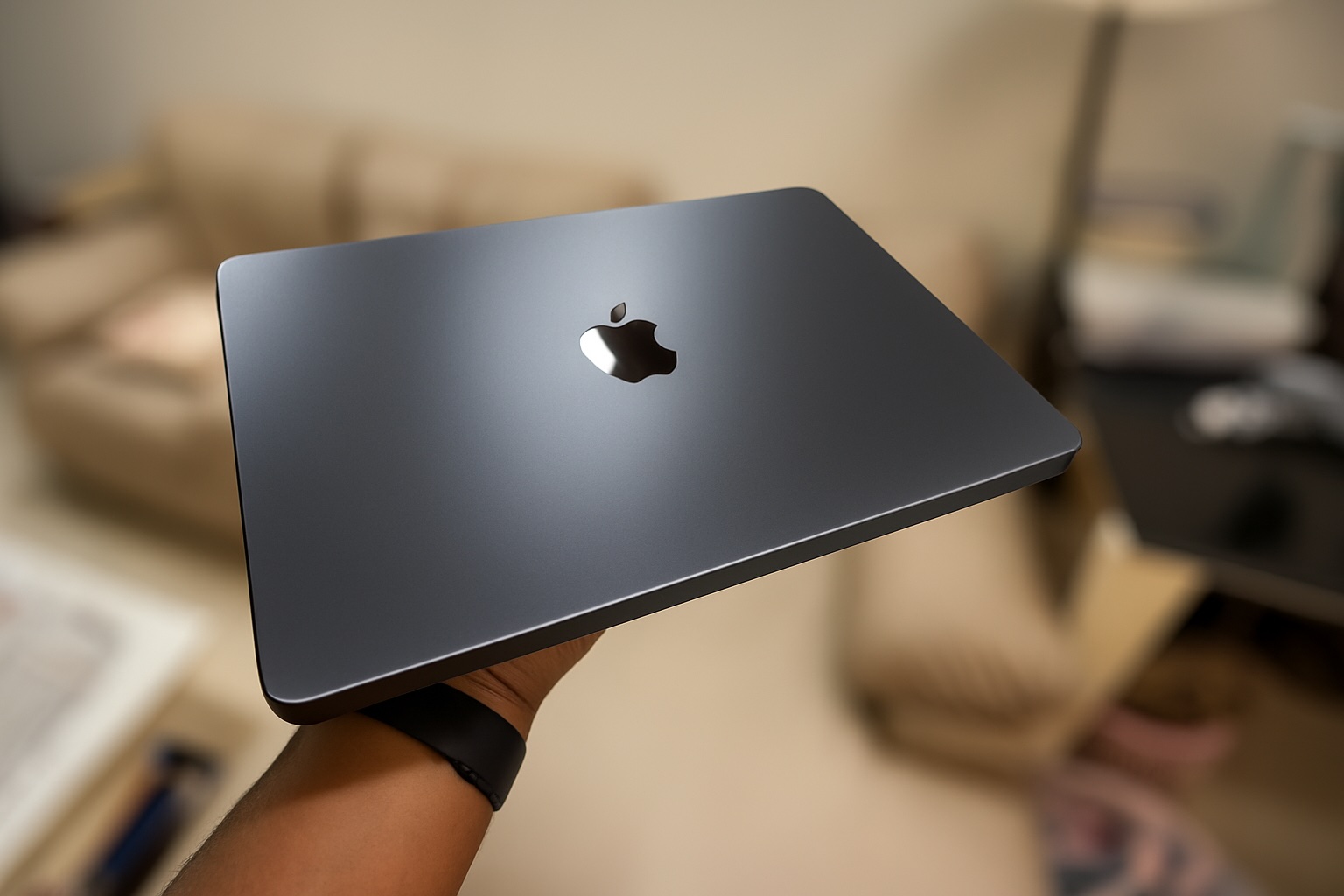
Apple’s launch of the M-series chips back in 2020 revolutionized the entire industry. The switch from Intel to its own in-house chip brought about never before seen performance and efficiency gains. They have continued improving the lineup each year and its latest iteration – the M5 promises big leaps in AI performance.
Developer Review
Apple was gracious enough to provide me with the new 14" M5 Macbook Pro for review. It’s amazing to see Apple India continuing to support the developer community and appreciating feedback.
I’ve been developing iOS and macOS apps for over a decade and as someone who understands the eco-system and having used all developer tools around it, this review will be focused primarily on the developer aspect of using the new M5 chip.
A majority of the Indian student and developer community still prefers the entry-level M-series chips (mainly due to their price-to-performance ratio). The base M5 will likely be the most widely preferred chip by next year when it eventually comes to the Macbook Air and mini.
I’ll also cover some of the apps I use on a regular basis and their performance improvements over my existing machine. Since 3-5 years is a pretty standard upgrade cycle for Macs, I assume many M1 users would be looking forward to the M5.
Setup
| Spec | Mac Studio M1 Max (Current Setup) |
MacBook Pro M5 (New Setup) |
|---|---|---|
| CPU | 10‑core (8 performance, 2 efficiency) | 10‑core (4 performance, 6 efficiency) |
| RAM | 32GB (400GB/s) | 32GB (153GB/s) |
| SSD | 512GB | 4TB |
| GPU | 32‑core | 10‑core |
| Neural Engine | 16‑core | 16‑core |
My current machine is still a beast, the M1 Max was launched just 3 years ago and on-paper out-specs the M5. This review will be a good baseline of how big of a performance gain you can expect from the new chip.
M5 Specs

- 10-core CPU (4 performance cores, 6 efficiency cores)
- 10-core GPU
- New: Hardware ray tracing
- New: Neural accelerators in each GPU core
- 16-core neural engine
- Hardware-accelerated codecs (8K H.264, HEVC, ProRes, ProRes RAW and AV1 decode)
- 153GB/s unified memory bandwidth
- Up to 32GB RAM
- Max clock speed 4.6Ghz (Performance cores)
- 6MB L2 cache
- PCIe 5.0 for 2x the storage bandwidth
Apps
The core metric I’m focusing on in this review is time. The sole reason for an upgrade is to save time, as each second adds up. Below is a list of apps I use on a daily basis throughout the day. I’ll post some benchmarks compared to the M1 Max.
- Xcode
- Figma
- Rotato
- DaVinci Resolve
- Msty Studio
- Safari
Xcode
I’m going to use 3 projects to benchmark for this review.
-
First one is mlx-swift-examples. If you want to compare timings yourself, clone mlx-swift-examples and checkout commit
b071763. -
Second is XcodeBenchmark
-
And the last one for SwiftUI related tasks will be my own app – Finma.
Setup: Xcode 26.1 and iOS 26.1 Simulator runtime
Clean build
mlx-swift-examples (LLMEval)
(Lower is better)
XcodeBenchmark
(Lower is better)
Finma
(Lower is better)
Archive:
Finma
(Lower is better)
Result:
The M5 beats the M1 Max in every compilation task. What’s interesting is not only does the M5 outperform in terms of speed, it does so very efficiently, peak CPU power draw for both M1 Max and M5 during compile time remained at ~28W. You end up saving not just time but also battery.
SwiftUI Preview
For this test I’ll be using Finma since it has a few complicated view hierarchies that bring even my M1 Max to it’s knees, it’s also a task that I perform at least 20 times a day when developing apps.
For each test below, Xcode was restarted for the preview simulator to boot up again.
Onboarding screen:

Time to generate preview:
(Lower is better)
Widget Picker View

Time to Generate Preview
(Lower is better)
Figma
All of my initial designs are done in Figma, establishing a design and component system is much easier in Figma than in SwiftUI. It’s a great way to quickly try out 10 different things visually and get started with the initial look and typography and then use SwiftUI to iterate later.
I didn’t notice any significant differences in opening large canvases, scrolling across them, or exporting hundreds of artboards. The performance remained pretty much the same.
Rotato/DaVinci Resolve
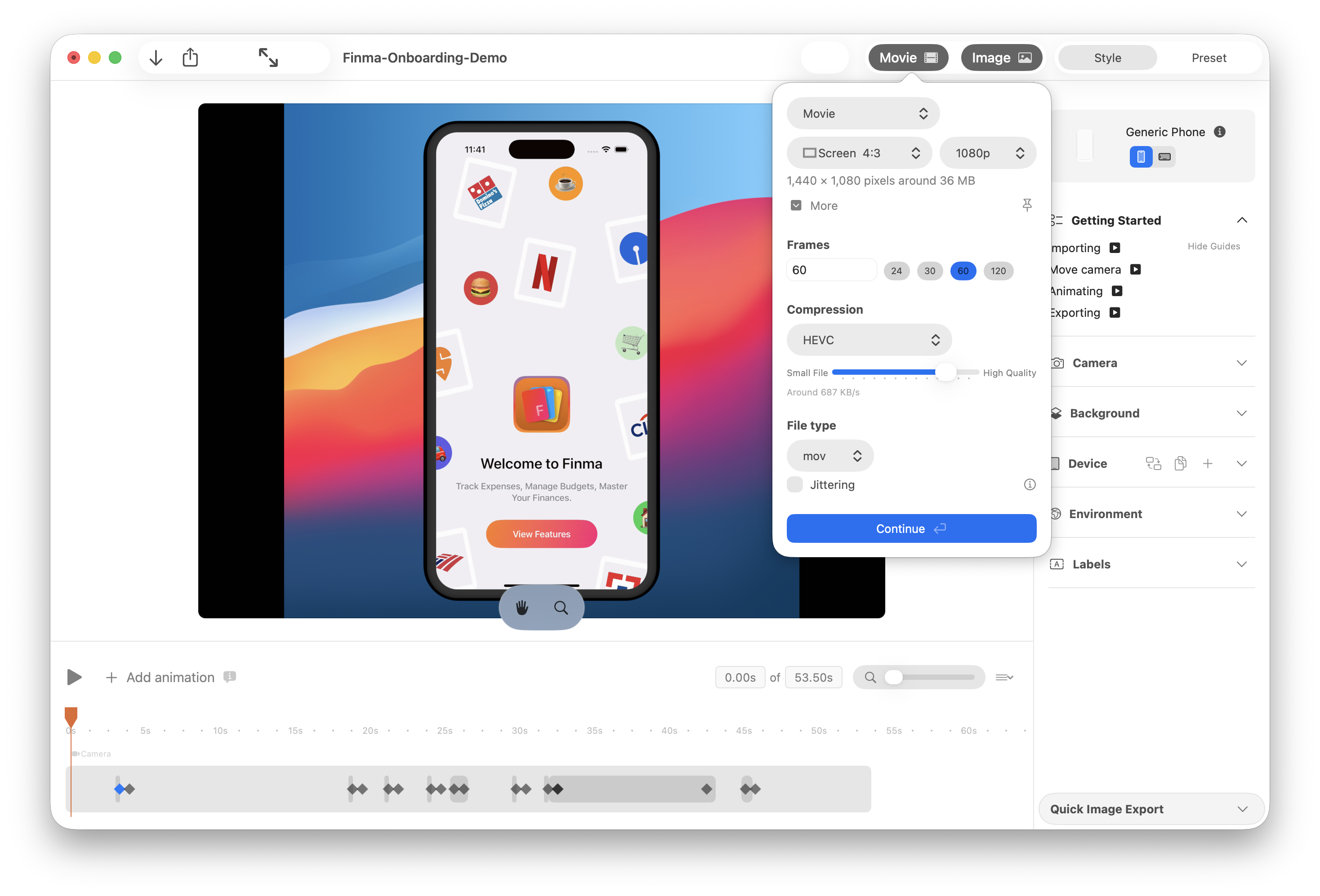
I use Rotato and DaVinci Resolve to generate all marketing/promo material for my apps.
Examples:
A sneak peek at my next app, an AI app that shows you what you need without you asking. It starts with a radical new approach to email.
— Tanmay (@tanmays) August 13, 2025
Sign up for the early preview using the link in thread 👇
This will also be my entry for #shipaton pic.twitter.com/381wv7ReYB
Today's the day — @FinmaMoney is now in the App Store! 🎉
— Tanmay (@tanmays) February 13, 2025
Finma is an auto-expense manager. It connects with your email & automatically creates transaction entries.
- Multiple accounts
- Subscription tracking
- Budget tracking
- Custom rules
- Custom categories & more
Link 👇 pic.twitter.com/aZwJ7LqKty
Export times:
(Lower is better)
Result:
Both the M1 Max and M5 support HEVC hardware accelerated encoding, but still the M5 is about 1.5x faster.
Safari
(Higher is better)
(Higher is better)
Result:
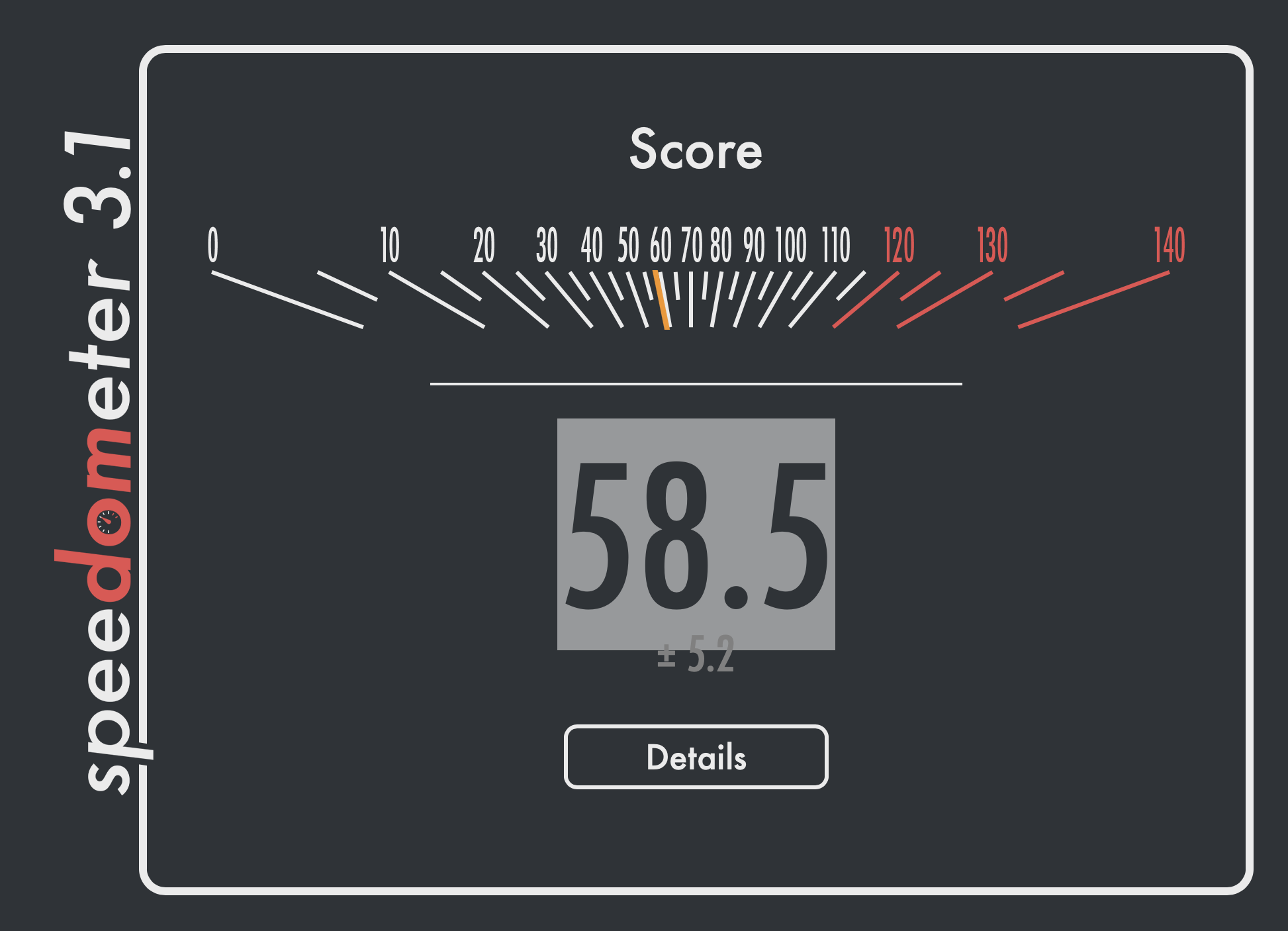
Both browser benchmarks deliver nearly 2x the performance. Since a sizable portion of computer use involves browsers and Electron apps, these results carry more weight than you might expect. Look forward to significantly faster and smoother browsing, along with a better experience in non-native apps on the M5.
AI Performance
Local AI inference is where the M5 shines. The faster neural engine with accelerators for each GPU core promises a 4x GPU compute performance over the M4. In practice this should mean faster time to first token when using local models.
Msty Studio
Msty Studio is a free and well-designed macOS app that lets you download and run models locally, supports RAG and is privacy focused.
Model: GPT OSS 20B
Prompt:
Write a poem about Apple in under 100 words
(Lower is better)
(Higher is better)
(Lower is better)
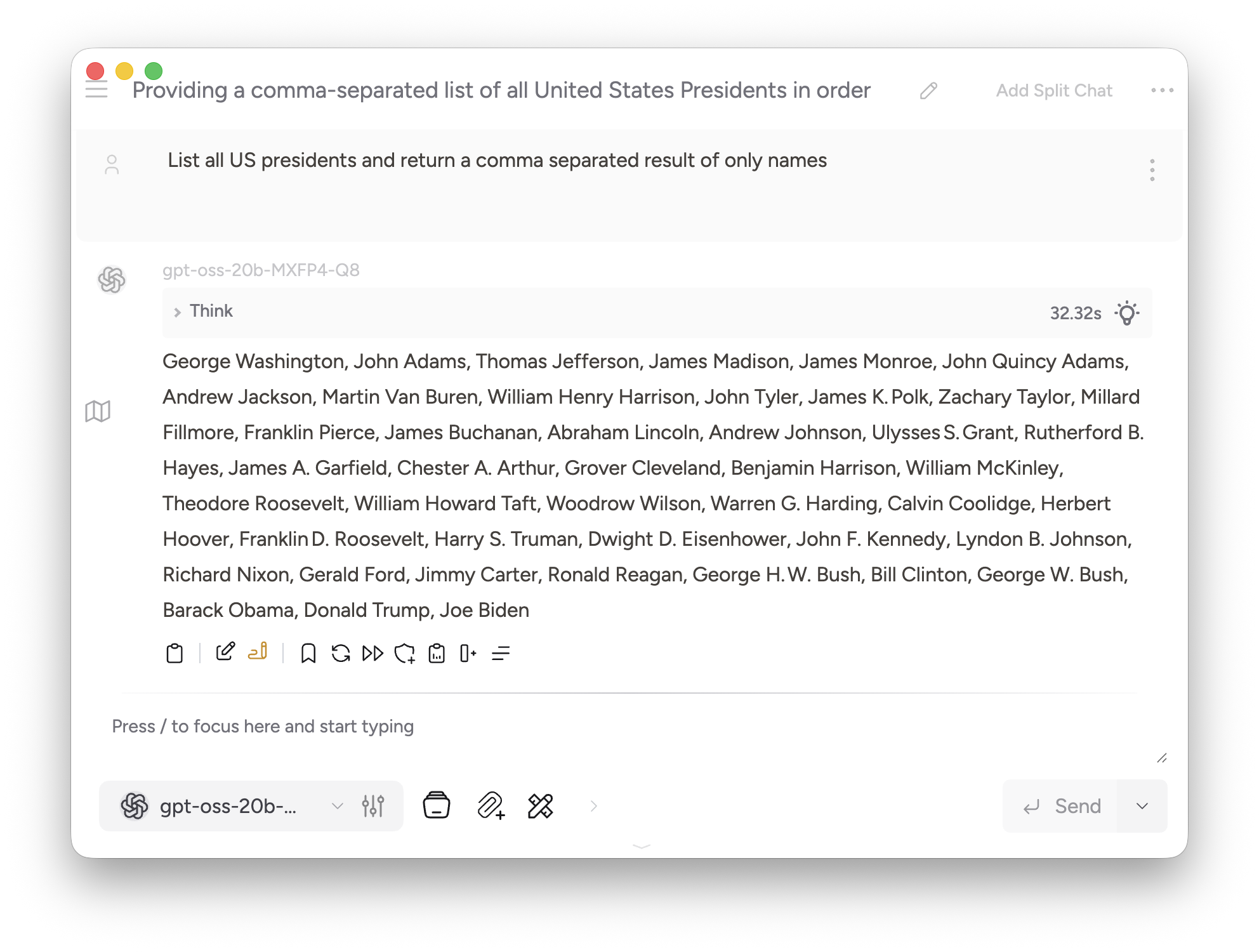
Model: gpt-oss-20b-MXFP4-Q8
Prompt:
List all US presidents and return a comma separated result of only names
(Lower is better)
(Lower is better)
Result:
These results are surprising, the time to first token is about twice as fast on the new M5 but token/sec is lower. I tried with both the regular and MLX optimized variant.
MLX Swift
Batch performance using LLMEval
Running LLMEval using Llama-3.2-3B-Instruct-4bit in batch mode with 5 concurrent prompts
Explain the economic impact of artificial intelligence on global labor markets over the next 20 years, discussing both opportunities and threats, and provide at least a 500 word analysis.

Write a detailed beginner-friendly guide on how to create, launch, and market a successful mobile app from scratch, with at least 500 words.

Describe the complete history and evolution of the Internet from ARPANET to Web3 technologies, providing at least 500 words of explanation.

Explain the philosophical debate between free will and determinism, including historical perspectives and modern scientific viewpoints, in at least 500 words.

Write a comprehensive explanation of how large language models work, including tokenization, embeddings, attention, training, and inference, in at least 500 words.
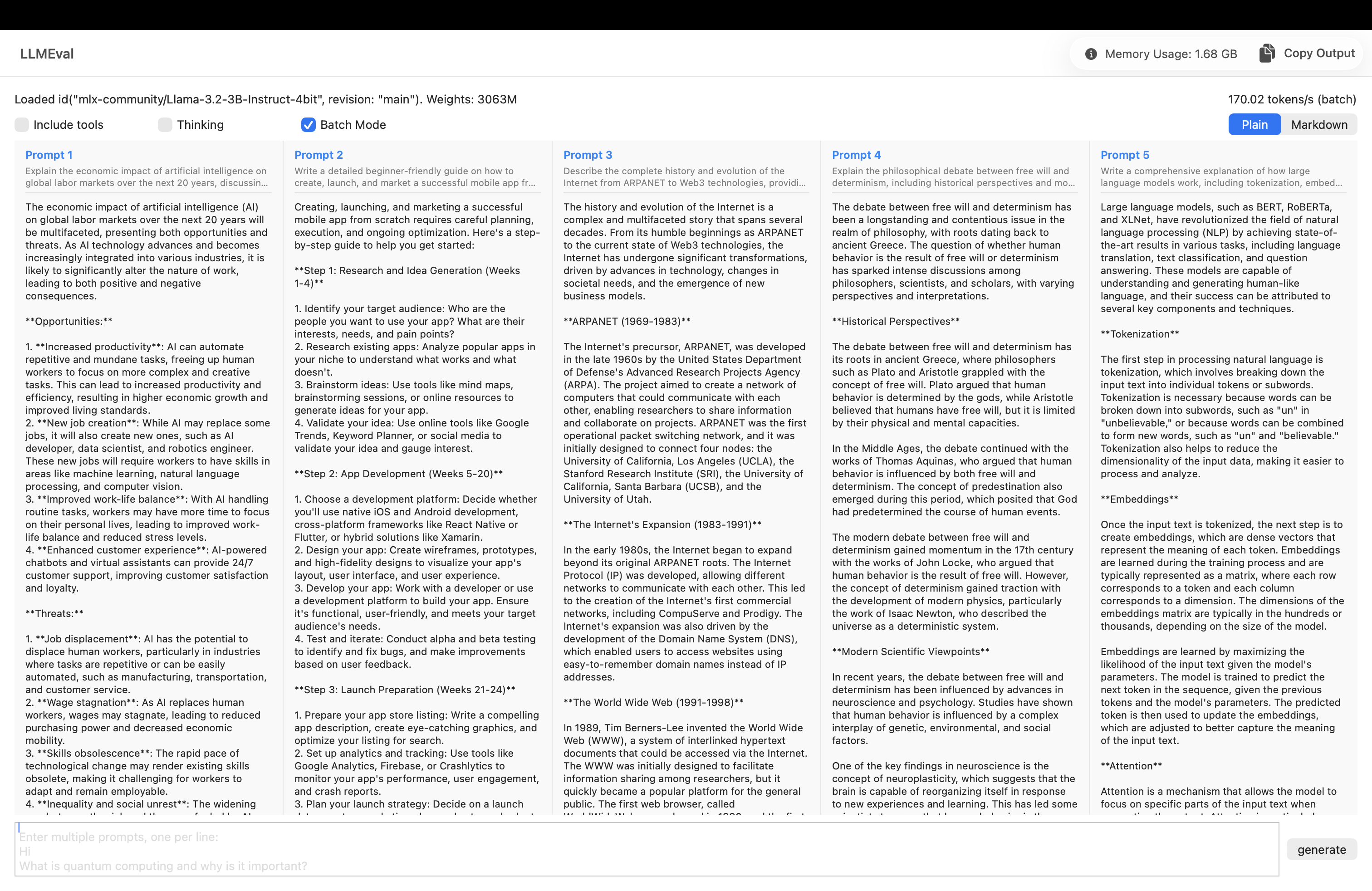
(Higher is better)
Result:
The tokens per second is slightly faster on the M5.
The batch mode test while not practically useful for most people right now, is a good indicator of future proofing your workflow. Multiple apps performing local inference will become commonplace, especially with improvements to Apple’s Foundation Model framework.
Draw Things: Offline AI Art
I’m using Draw Things for text-to-image generation. It’s available on the Mac App Store for free.
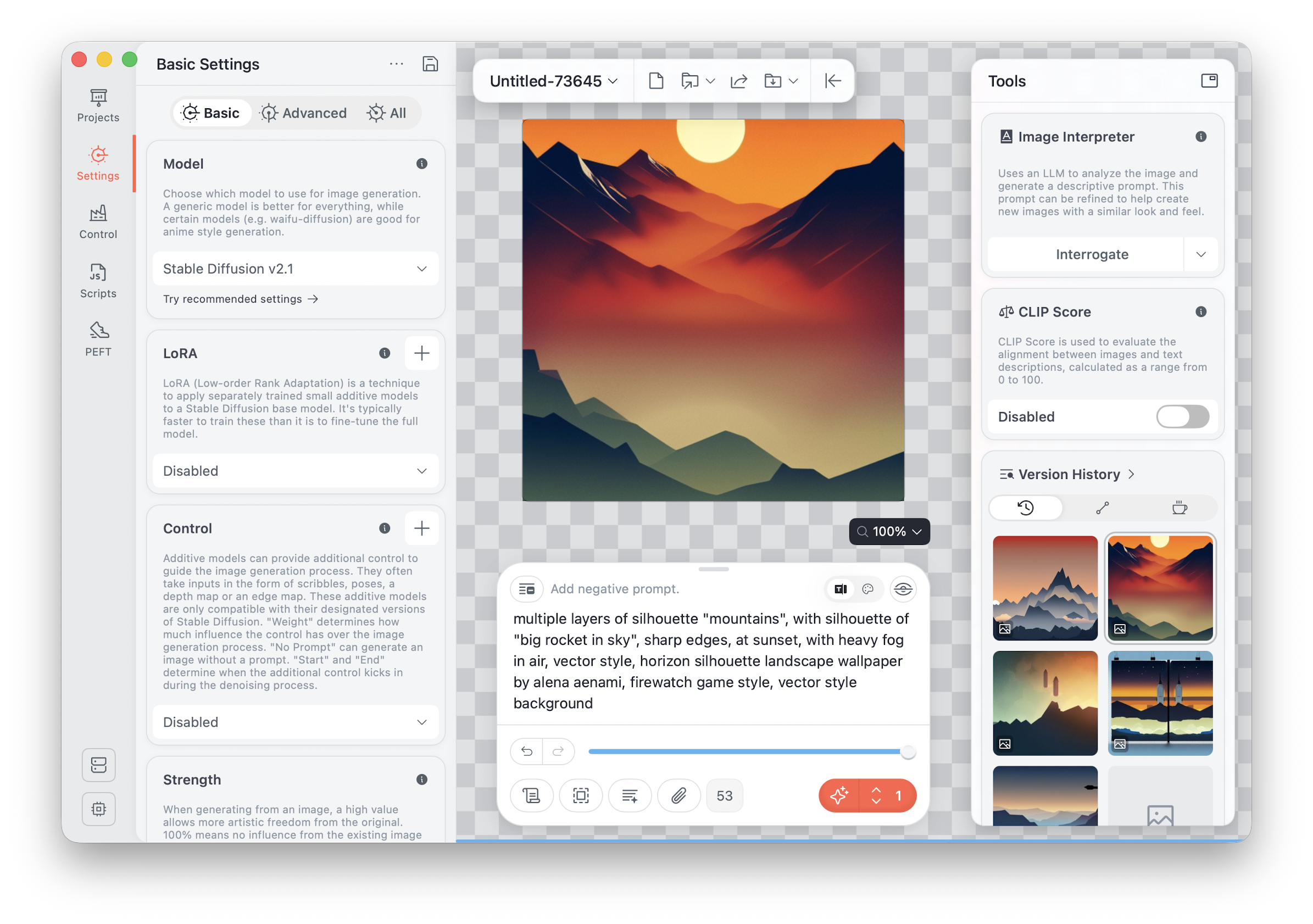
Model: Stable Diffusion 2.1
Prompt:
multiple layers of silhouette "mountains", with silhouette of "big rocket in sky", sharp edges, at sunset, with heavy fog in air, vector style, horizon silhouette landscape wallpaper by alena aenami, firewatch game style, vector style background
Number of images: 5
(Lower is better)
Result:
The M5 despite having less than half the GPU core count of the M1 Max, is able to provide more than 2x the performance. Apple’s claims of 6x the performance of base M1 are true, especially when using apps optimised for neural engine. This is a good example of what to expect from apps built to take full advantage of neural engine.
Benchmark Summary
Result Summary:
The M5 wins in almost every test except tokens/second performance.
This leads me to believe both Msty AI and mlx-swift do not support Neural Accelerators as of now. Even then, the M5 getting close to M1 Max using pure ALU shows just how powerful it really is.
I will update this post once I have more information. Follow me on X (@tanmays) for updates.
Disk Performance
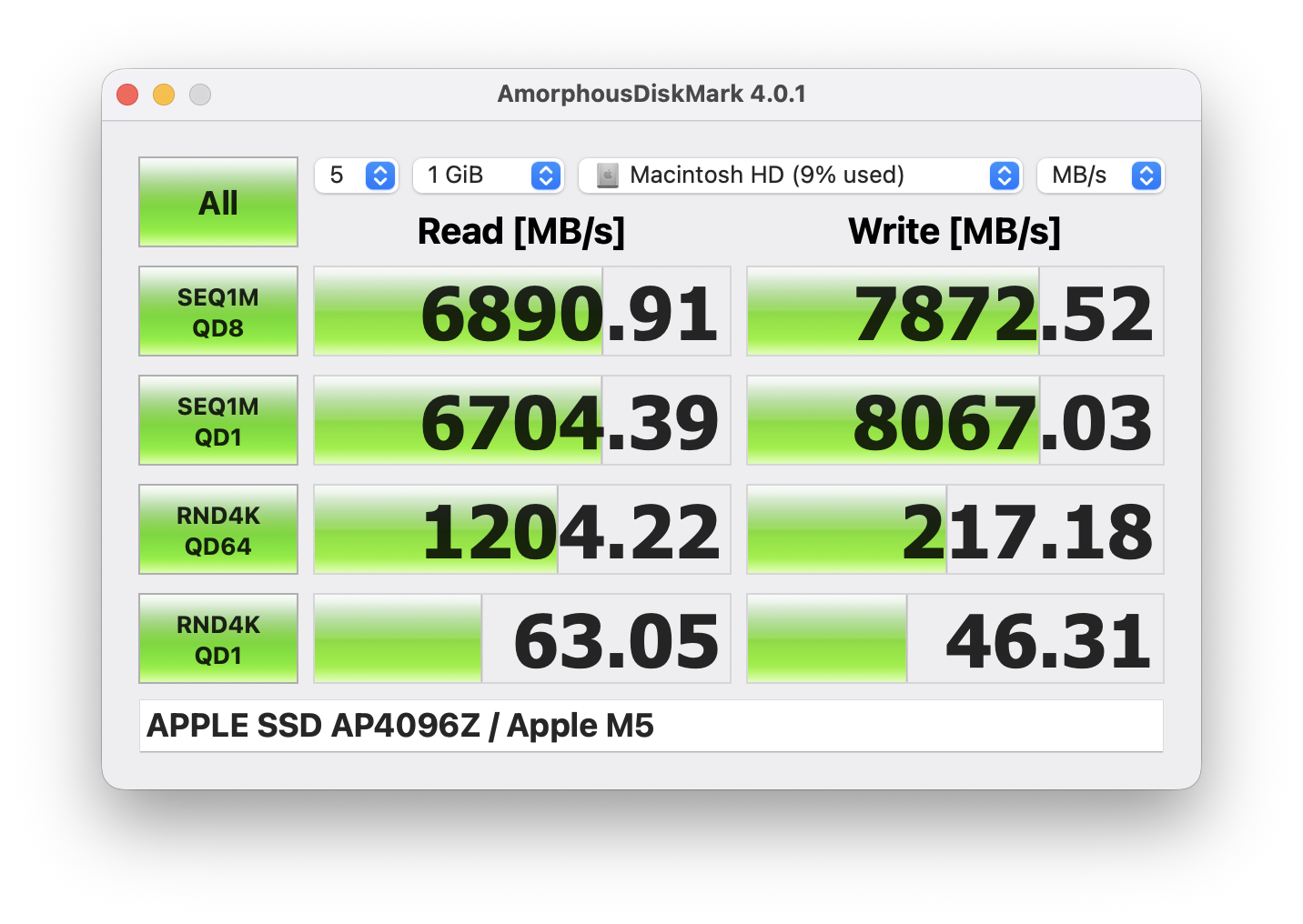
M5
M1 Max:
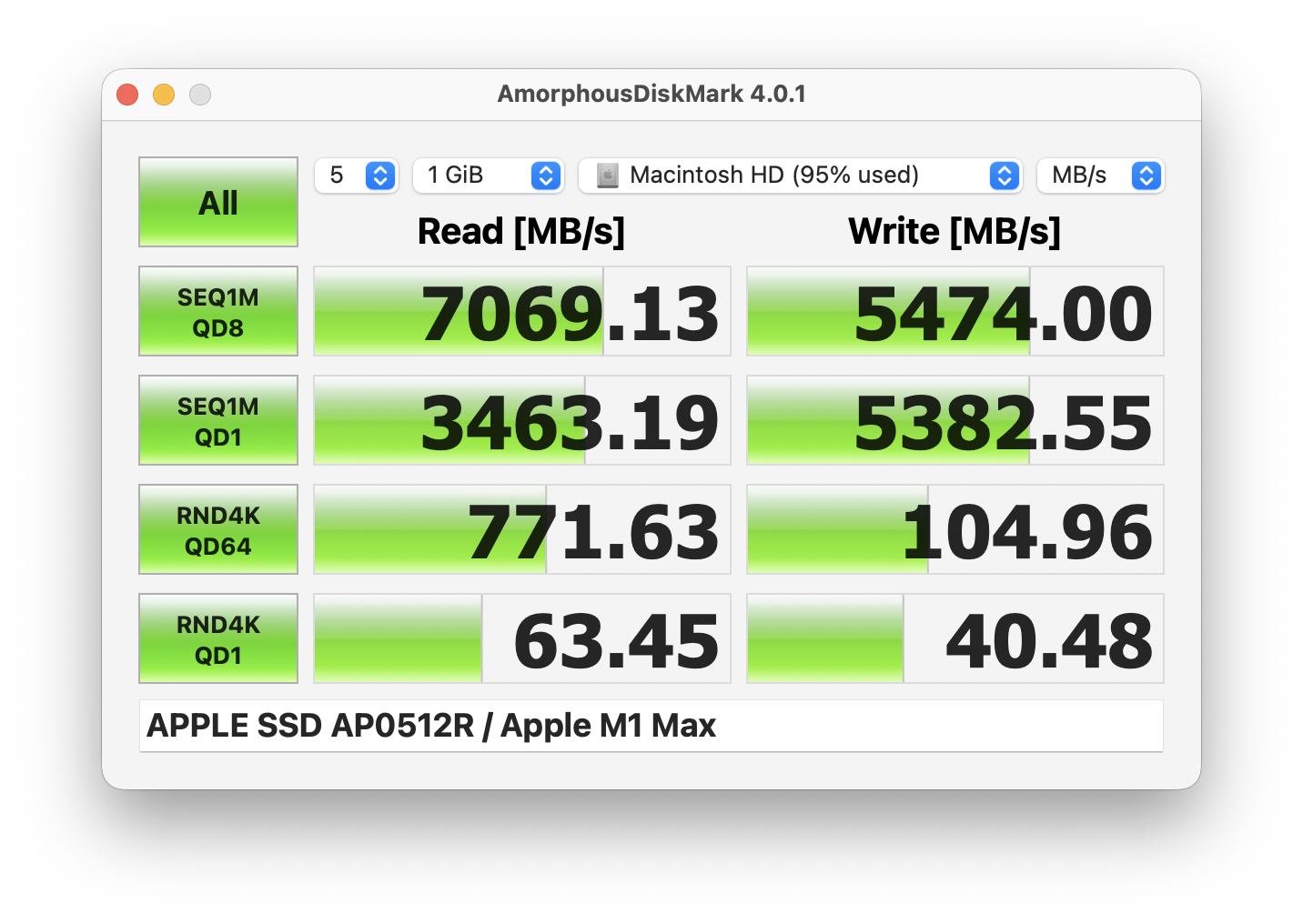
The M5’s 4TB SSD is fast but does not fully utilize the new PCIe 5.0 controller. 3rd party PCIe 5.0 drives easily reach upwards of 10,000 MB/s read/write.
The SSD speeds, especially random reads/writes matter a lot when it comes to activities like compiling projects where 1000s of small files are accessed and created. Since the 4K QD1 numbers are similar, compilation tasks will not achieve any significant gains due to SSD speed.
Battery Performance
Apple advertises the M5 Macbook Pro to have the longest battery life ever in a Mac going beyond it’s usual all-day to a massive 24 hour!
M5 vs M4 Pro
The real confusion right now is does the M4 Pro make more sense considering that its available at a discount in most places and the price difference is a few hundred dollars?
M4 Pro: 12-core CPU (8 performance, 4 efficiency)
M5: 10-core CPU (4 performance, 6 efficiency)
What this means in practice is for a majority of tasks, the M5 will save battery life by utilizing the extra efficiency cores while still providing respectable performance. You can expect an additional 2-4 hours of battery usage for the same use cases. If you’re always on the move and need a good balance between battery life and performance, the M5 is the perfect choice.
Battery Tips
Macbooks support bypass charging and I highly recommend you make use of it to save precious battery cycles. macOS comes with a 80% charge limit setting post which the charging stops but if you want to optimize it even more try out the apps below:
I always have the Macbook plugged-in and use a dual monitor setup at home. I use battery toolkit app and have the charge limit set at 70% and lower limit at 40%. This allows the adapter to stop charging once it reaches 70% and charge again only if it hit’s 40%. The rest of time, Macbook will be powered directly via AC.
By default macOS will charge your Macbook again as soon as it drops below 80%, these apps will allow you to prevent charging until the battery hits the lower limit and help keep the battery charge in the goldilocks zone.
Display
The 14-inch Macbook Pro comes with a 14.2" Liquid Retina XDR display.
Display specs:
- mini-LED backlit display
- 3024x1964 pixels
- 1,000 nits sustained full-screen; 1,600 nits peak (HDR content only)
- 120Hz ProMotion
The unit I received has a Nano-texture glass panel. I’m not a fan of matte displays, they reduce contrast, reduce clarity, worsen black levels and dull the colors. Nano-texture suffers from the same issues but Apple has tried their best to minimize them. The display is still quite vibrant and has a good color depth.
For designers I will still recommend going for the standard glass. For app designs, the colors and visual representation needs to be as close to the actual iPhone display as possible, that is only possible with standard glass.
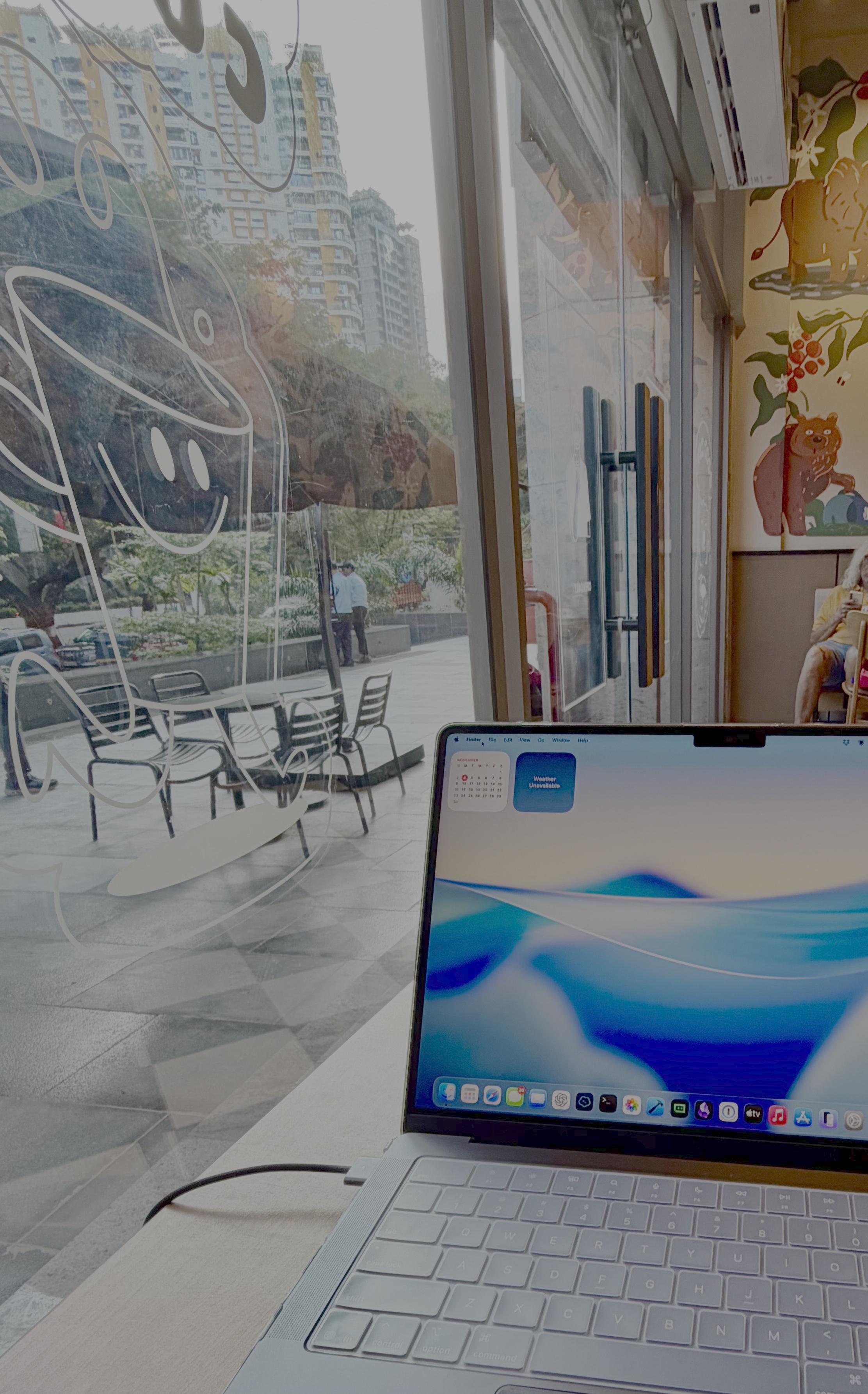
For developers, the Nano-texture display is a great choice. Working outdoors or in bright environments is where you will appreciate the anti-glare feature of the display.
Accessories
Some accessories I use with the M5 Macbook Pro:
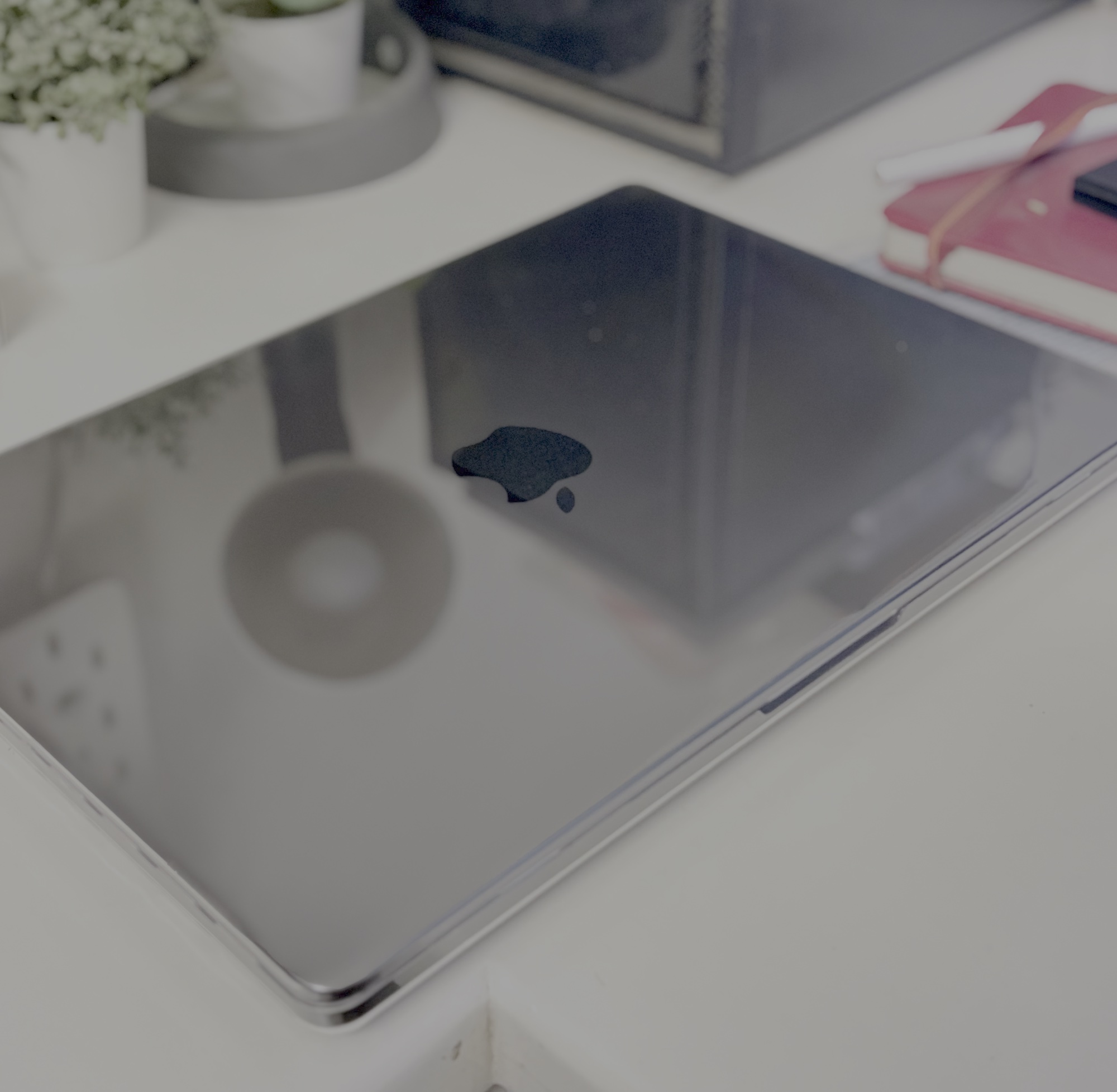
A hard polycarbonate case, adds gloss to the space black MBP. I dig it. Comes with port and keyboard covers.

I love the dual tone design of the bag. The material is pretty durable and has compartments to help carry adapters, cables, powerbank and mouse.
I do not like track pads, Magic Mouse is the best pointer device! Been using it for over 15+ years and I’m on my 5th one now, next one will be the same.
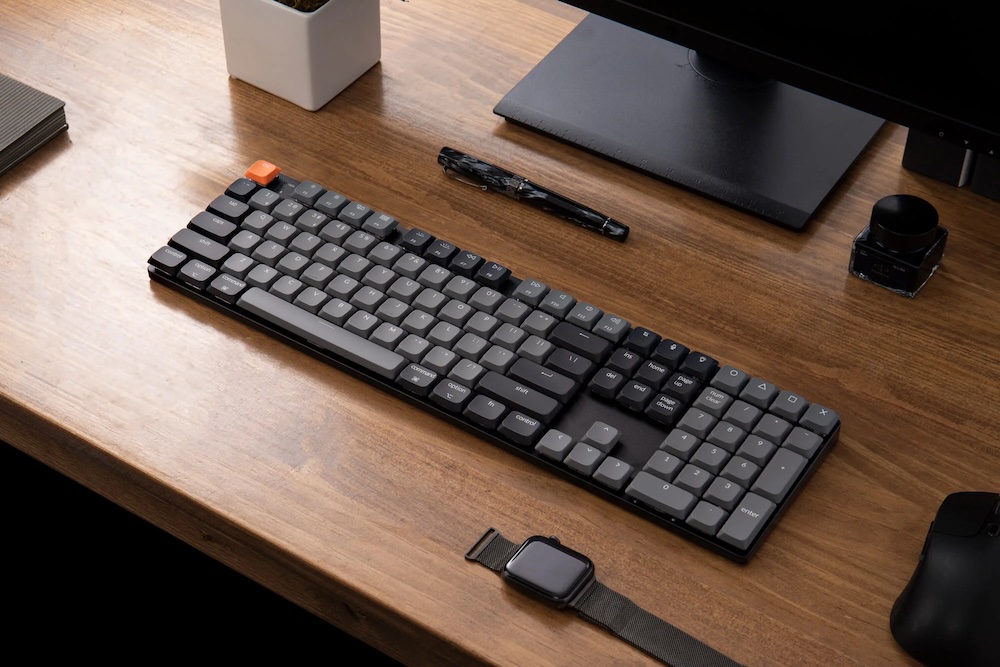
As much as I love Apple’s Mouse, their keyboard leaves a lot to be desired. I switched to a mechanical keyboard from Keychron years ago and I absolutely love it. Once you get used to a mechanical keyboard, you can’t go back. The keys are responsive, the sound is great and it’s built like a tank.
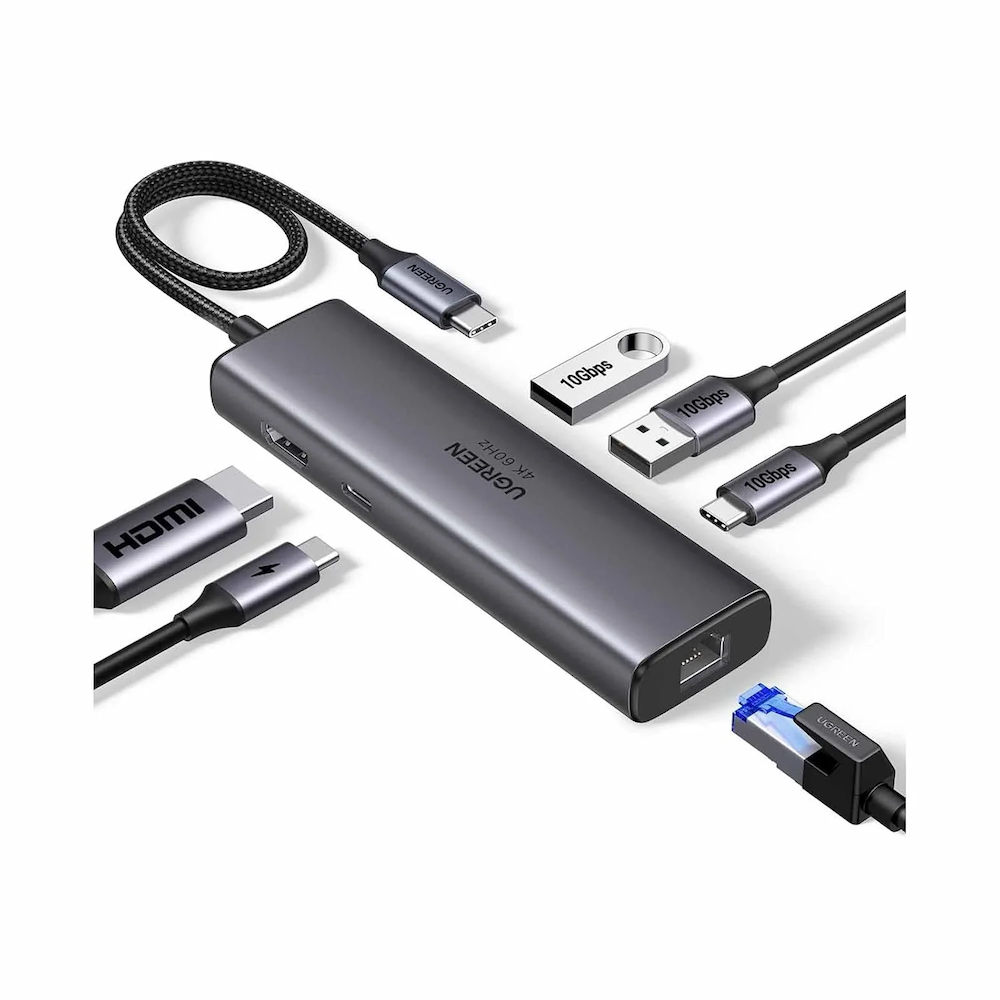
A must-have if you dock your Macbook Pro often. A single cable to connect to power, monitor, ethernet and a bunch of USB ports. Thunderbolt docks would be preferred but they are very expensive, USB-C 3.2 offers a good compromise, you get decently fast 10Gbps ports at a fraction of the cost.
Closing Thoughts
Who is the M5 Macbook Pro for?
M1 Users / up to $1500
If you have an M1 Mac with budget of up to ~$1500, the M5 MacBook Pro is a fantastic upgrade. It ensure you’re future-proof and ready for the upcoming AI advancements.
$2000 and above
Things start getting tricky when you reach the $2000/₹200k mark because then you can get the M4 Pro/24GB which will beat the M5 in most non-AI tasks. Get the M4 Pro if your work primarily involves multi-threaded processor intensive apps and you have the Macbook mostly plugged-in. As stated in the battery section above, if your work involves a lot of travel but still need to balance performance, you cannot go wrong with the M5.
Students & AI Developers
If you are a student/developer who needs the best AI performance right now at a reasonable price, get the M5. The M5’s neural engine provides about 4x the peak performance compared to M4 (including M4 Pro/Max since all variants in a generation share the same neural chip).
Conclusion
Personally, the M5 Macbook Pro has been a much needed upgrade. Using the Mac Studio has been great but I was limited to where I could work, it restricted me to a single room for hours. I’ve recently began working out of cafes and it’s been a refreshing change.
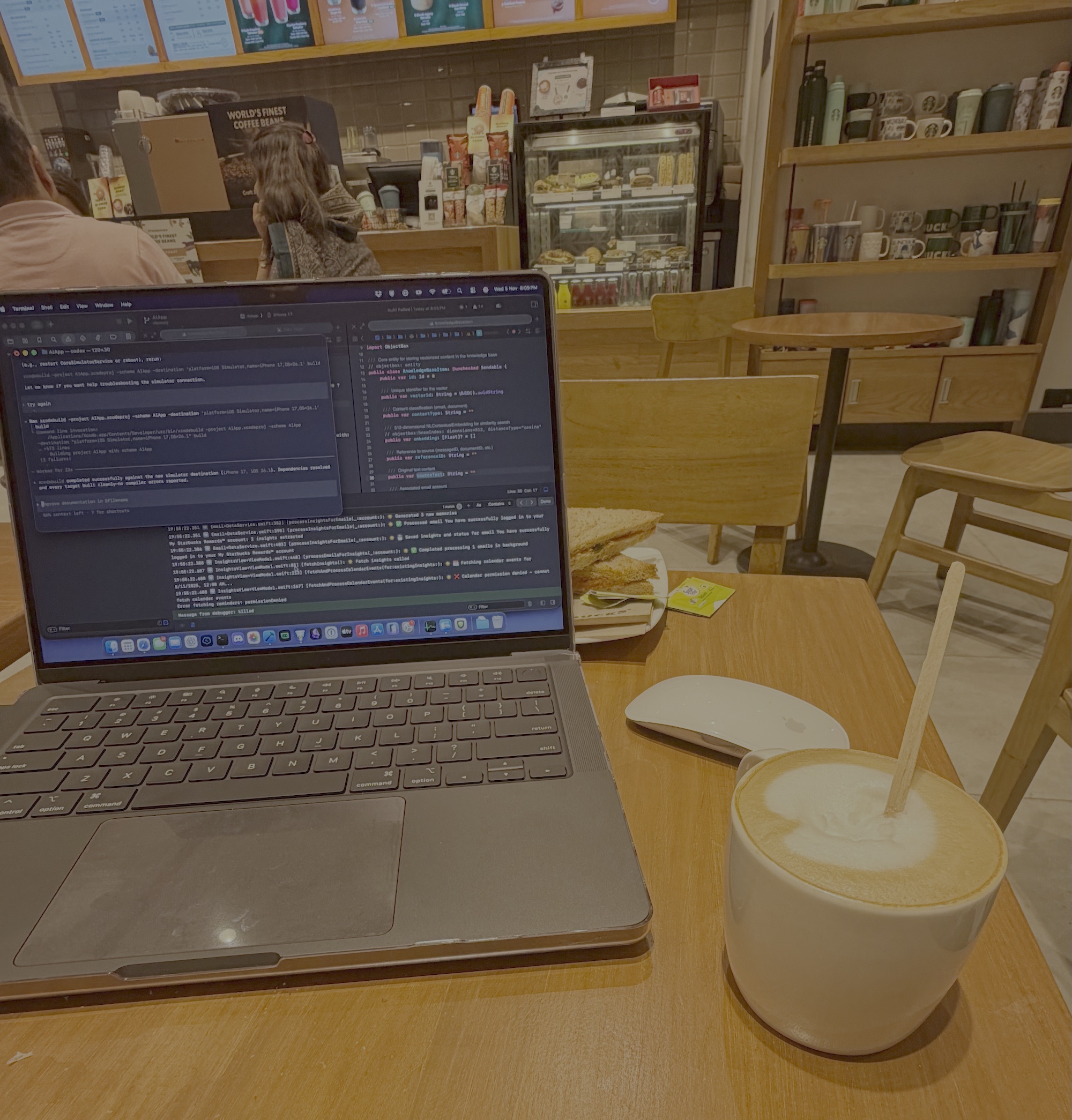
As evident in the benchmarks, the M5 beats my M1 Max in almost all of my daily tasks, it is a fantastic upgrade for any M1 user. The improved battery life is a game-changer, I can work from anywhere for hours and not have to worry about running out of battery.
If you have any questions or suggestions, please feel free to reach out to me on X or email.