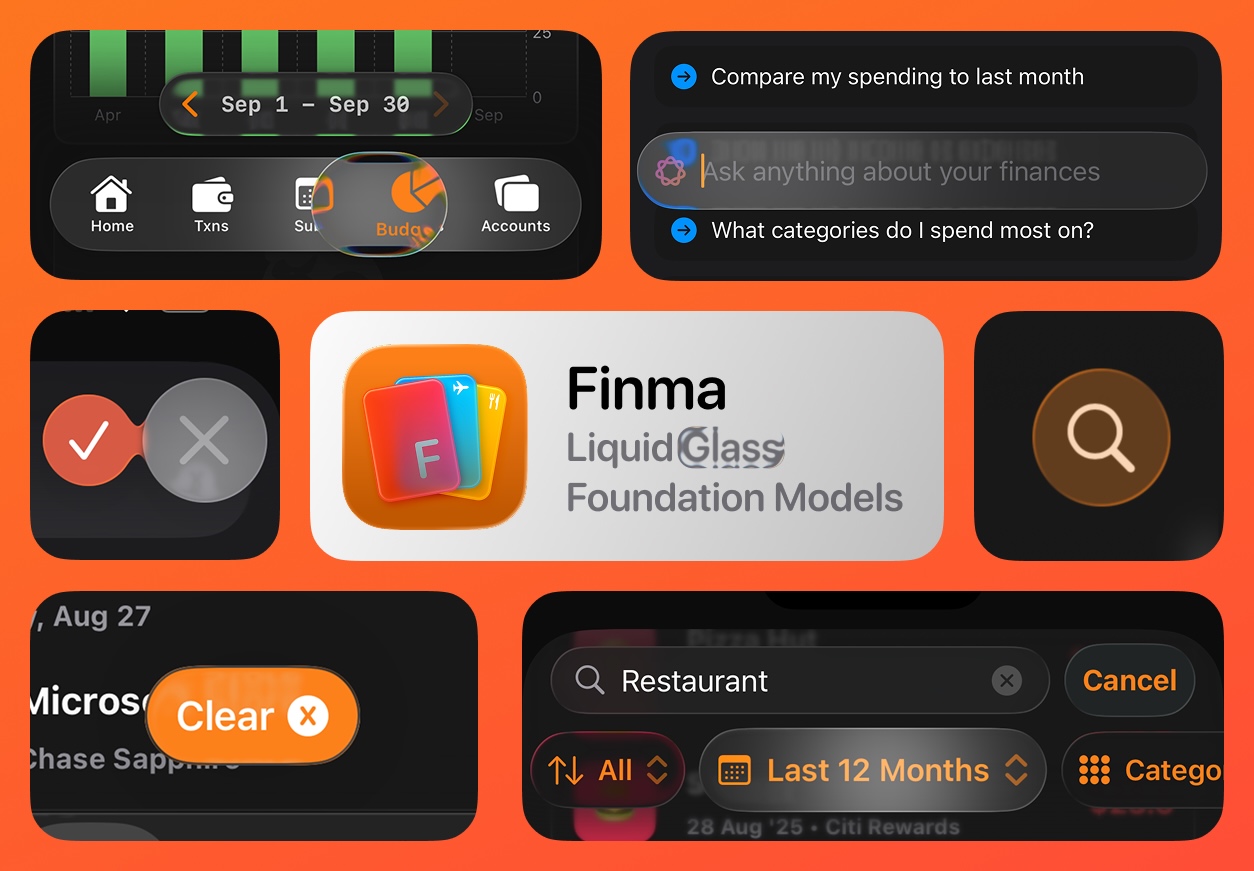
Liquid Glass
After several years of incremental updates, Apple finally brings a major redesign with iOS 26 that I honestly think most users are going to love. It’s fun, playful and a delight to use. Apple has introduced Liquid Glass, which combines the optical properties of glass with a sense of fluidity.
For designers, this new design paradigm requires us to reconsider our approach to interface design and divide it into separate layers, the content layer which displays the core content of the app and navigational layer. Liquid glass elements should only be used in the navigational layer. Avoid using glass in the content layer.
Finma used custom components extensively, from the navigation bar to the tab bar, everything was custom. To support the new liquid design, I had to rework a lot of the existing components and completely replace some with stock components. The new tab bar especially is very difficult to replicate, there’s just no API to add the loupe effect, so the app now uses the stock tab bar.
Here’s a list of liquid glass components used in Finma:
Tab bar
Navigation bar
Custom navigation bar with pull to search
Finma uses a custom pull to search interaction, the layer below blurs as the view is pulled, haptics feedback intensity gradually increases until a trigger point is reached. The search view then morphs out of the search button. All in 1 fluid interaction.
Filters bar
Confirmation buttons
The delete confirmation button morphs out of the delete button. A tick with red background then confirms deletion.
Onboarding screen
Liquid Glass App Icon
Notice how the cards inside the icon shimmer as per the device motion.
Foundation Models Framework
The second major feature that comes with iOS 26 is on-device AI. Apple has introduced a new framework called Foundation Models Framework which allows developers to use on-device AI models in their apps.
Finma currently uses Google Gemini to power its AI related features. I’ll continue to use it for most of the complex tasks like PDF parsing but for simpler tasks, such as extracting transactions from SMS, suggesting categories, mapping CSV columns, content summaries for charts, etc, I’ll be using on-device model.
Talk with your Finances
Every expense tracker now has some version of an AI chat feature. However it is extremely tricky to build right. You cannot simply send 1000s of transactions over to the LLM and call it a day. Not only is it bad for privacy, it’s simply impossible in some cases due to context size limitations.
Finma solves this problem by only using the LLM to convert user queries into input for tools, the on-device tools then perform the filtering. There are several benefits to this approach:
- Supports unlimited number of transactions
- Calculations are very accurate
- No need to send personal data to the cloud
- Faster response times
The aggregated results are then passed to the LLM to generate the UI. In a way Finma is one of the first apps to support native generative UI. For launch day, it supports only a handful of native Swift components (labels, bar charts, pie charts, etc) I’ll be expanding this to make it even more generic thanks to a neat little trick to build full fledged swift interpreters by devs at bitrig.
Limitations of on-device model
Apple’s on-device models are pretty limited supporting only up to 4096 tokens. While this limit isn’t really a problem due to the way I approach this feature, accurate tool calling is very important. Unfortunately I just wasn’t able to get the model to accurately and reliably call tools. I’m confident Apple will improve this in future but for now Finma is sticking to external LLMs to power the chat feature.
External LLM support using Foundation Models Framework
iOS 26 beta 4 introduced a cool new feature, it made GenerationSchema codable and exposed it as JSON schema. This means all of the existing data models and tools you wrote for on-device models can be used for any 3rd party LLM.
@Generable struct NovelIdea {
  let title: String
}

let partial = #"{"title": "A story of"#
let content = try GeneratedContent(json: partial)
let idea = try NovelIdea(content)
print(idea.title) // A story of
The best part is the framework is able to generate valid objects from partial JSON. So adding streaming support becomes really simple.
To pass the model schema to LLMs you simply use the GenerationSchema to get a dictionary and pass it to the prompt. Here’s an example of creating a JSON string to pass tool schema to the external LLM.
private let tools: [any Tool] = [...your tools here...]

private func constructToolsSchema() -> String {
    var toolsArray: [[String: Any]] = []

    for tool in tools {
        if let jsonData = try? JSONEncoder().encode(tool.parameters),
            let json = try? JSONSerialization.jsonObject(with: jsonData, options: []),
            let dict = json as? [String: Any],
            let properties = dict["properties"] as? [String: Any] {
            toolsArray.append([
                "name": tool.name,
                "description": tool.description,
                "parameters": properties
            ])
        }
    }

    if let data = try? JSONSerialization.data(withJSONObject: toolsArray, options: [.prettyPrinted]),
        let jsonString = String(data: data, encoding: .utf8) {
        return jsonString
    }

    return "[]"
}
SMS Extraction
SMS integration makes use of the personal automation feature in Shortcuts.app to convert incoming SMS into Finma transactions. Here’s a short demo of it in action.
The feature now uses on-device model by default to extract transactions from SMS.
Category Suggestion
Category is auto-selected as you type in a description.
CSV Field Mapping
Automatically maps a CSV’s columns to the app’s internal types.
Download
App Store Link: apps.apple.com/app/id6446134557
Website: finma.money